Download it on the App Store or Google Play, or open it in any browser at
qoiapp.com. One login, every device.
Trusted by 250+ students learning across 30+ countries.
Everything your child needs to learn, in one place
No more juggling WhatsApp, links and spreadsheets. My Quran Class brings the whole experience together.
One home for everything
Your child opens the app and just knows what to do
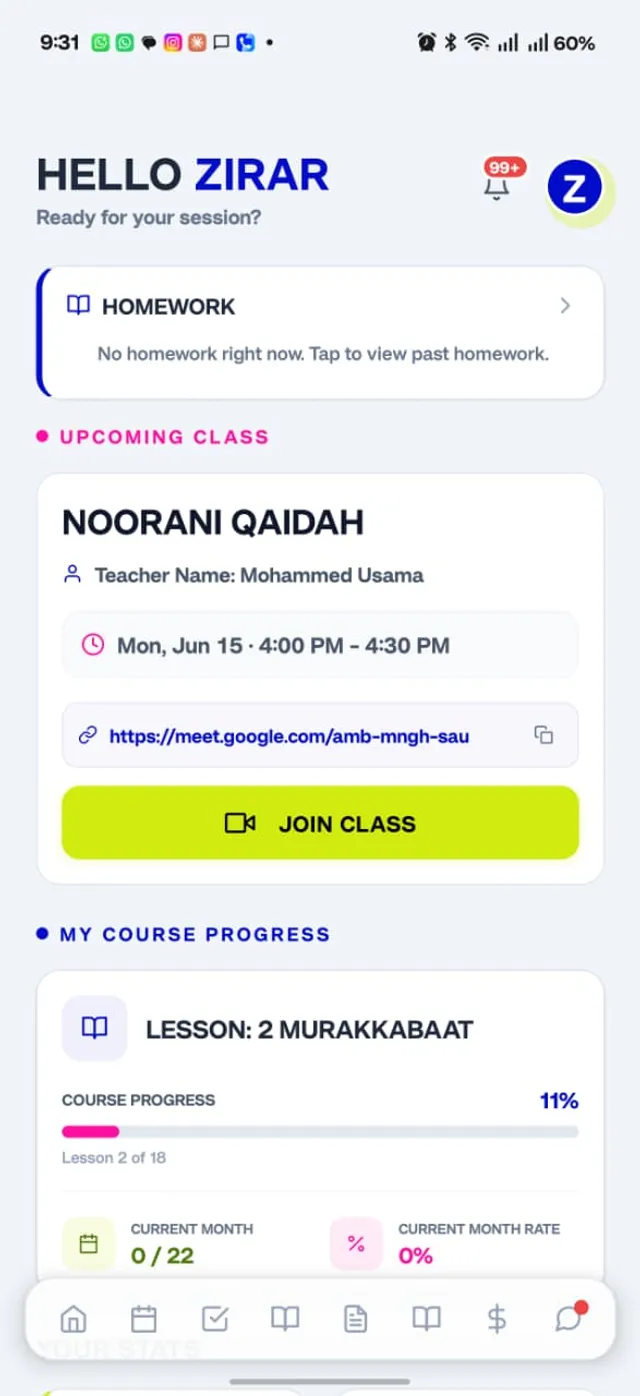
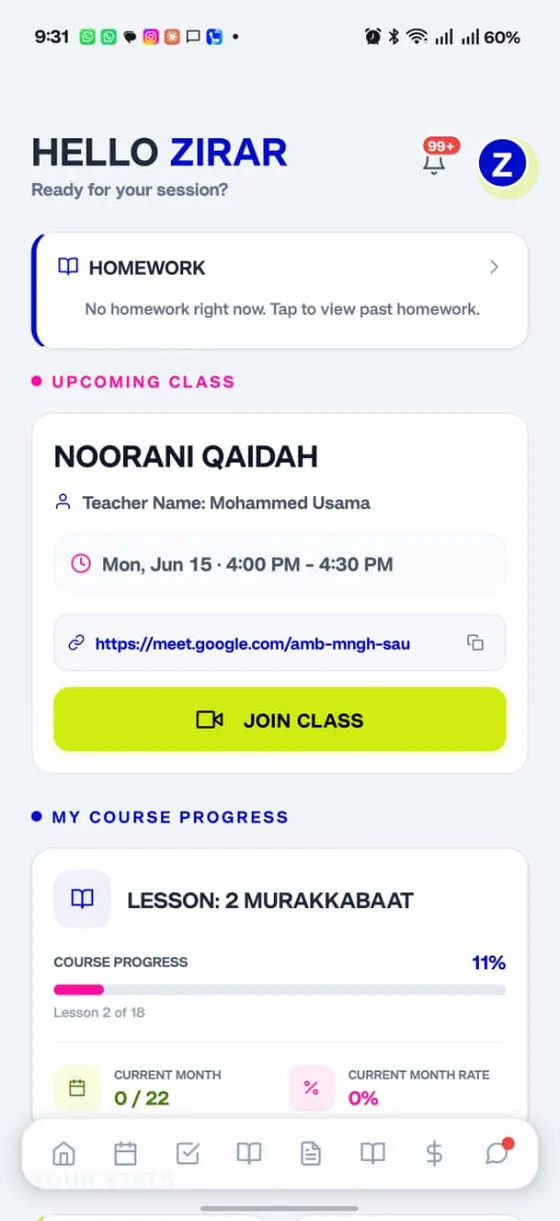
The home screen greets your child, shows their next class with a one-tap Join button, flags any homework, and tracks course progress lesson by lesson.
Upcoming class, front and centre
Homework reminders
Live course progress and lesson tracking
Never miss a class
The whole week, planned. Changes in a tap.
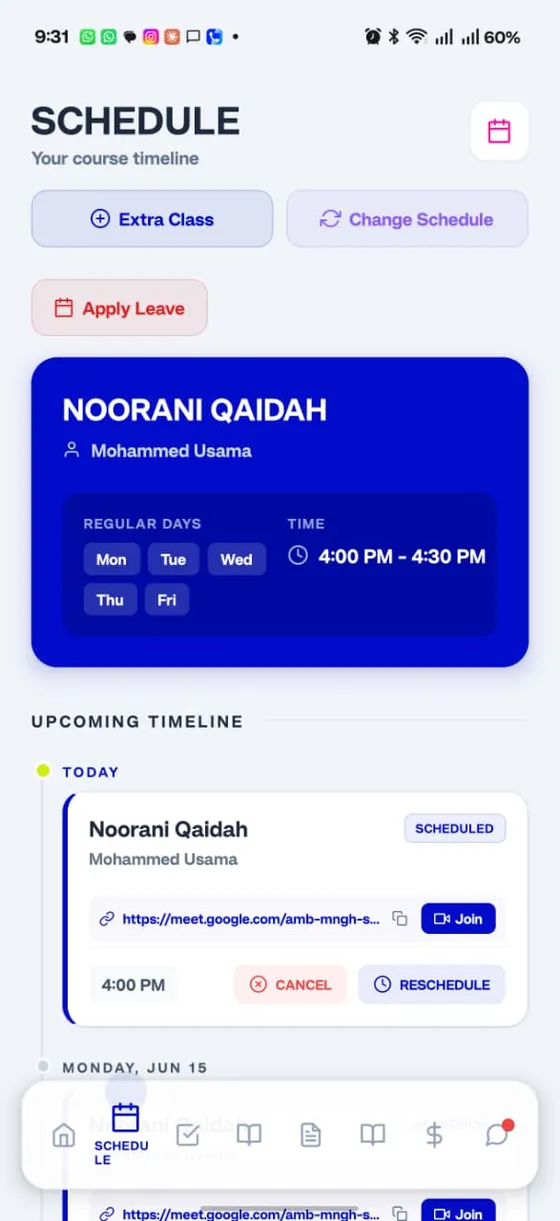
See every upcoming class on a clear timeline, join straight from the Google Meet link, and reschedule or apply for leave without a single phone call.
Join live classes over Google Meet
Reschedule within your plan
Apply for leave in seconds
Real progress, not guesswork
See exactly how your child is doing
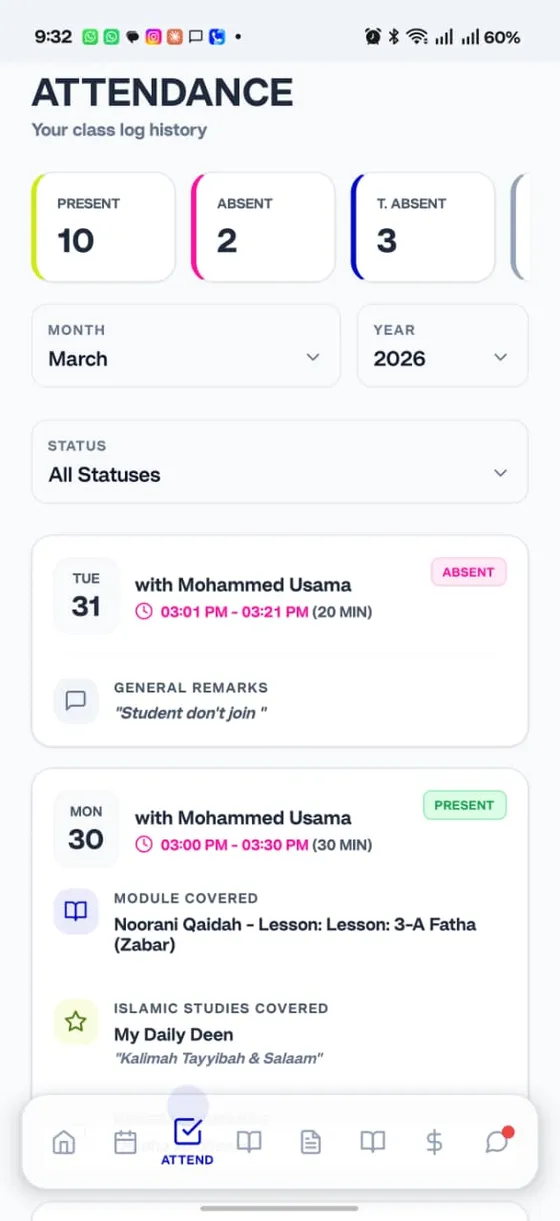
Every class is logged: present or absent, what was covered in the Quran and in Islamic Studies, with the teacher’s remarks. Filter by month and follow the journey.
Present and absent history
Module and Islamic Studies covered each class
Teacher remarks on every session
A library in your pocket
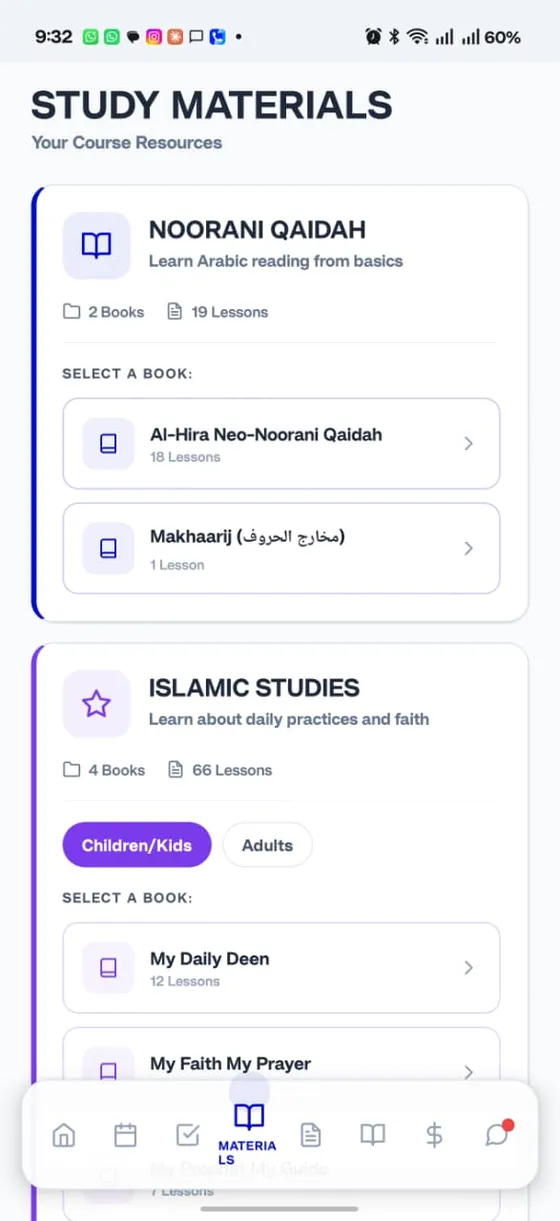
Noorani Qaida and Islamic Studies, built in
Our own Al-Hira Neo-Noorani Qaida and a growing Islamic Studies library sit right inside the app, with separate tracks for children and adults.
Al-Hira Neo-Noorani Qaida lessons
Islamic Studies for kids and adults
Read and revise between classes
Always in touch
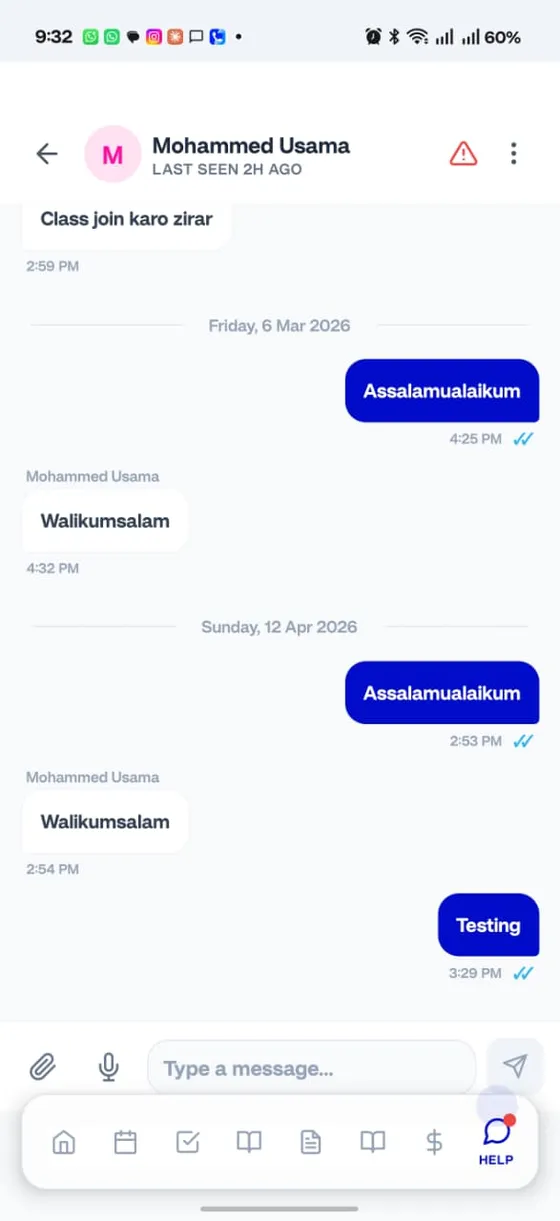
Message your teacher, right inside the app
Have a question between classes? Chat with your teacher and the team directly, with voice notes and files when you need them.
Chat with teachers and the office
Voice notes and file sharing
A pinned monitoring group for your child
Fees made simple
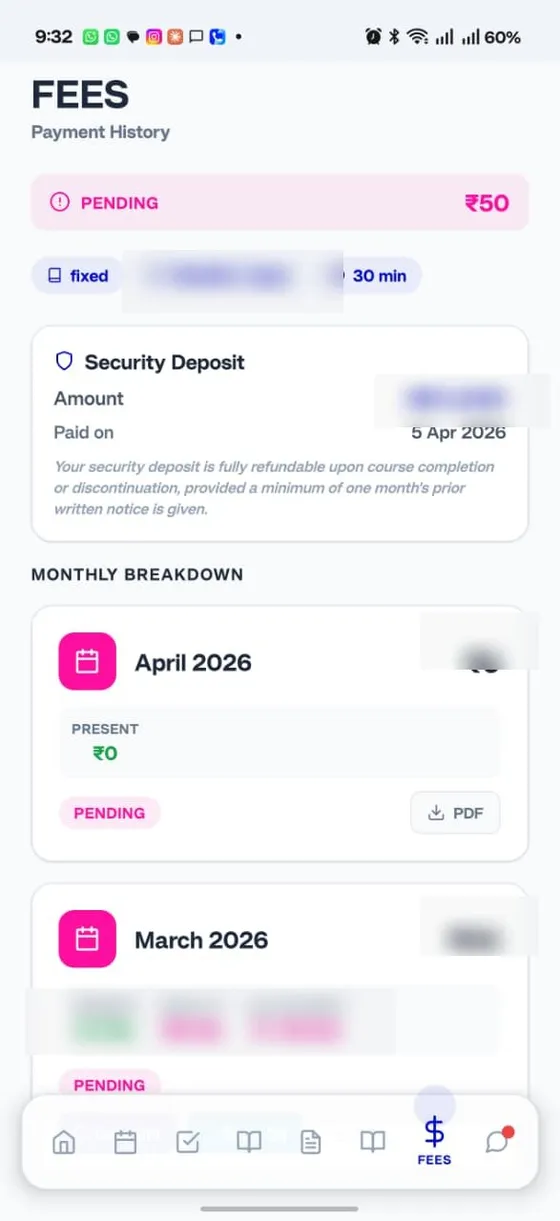
Invoices, payments and history in one place
See what is due, pay securely online, and keep a clean record of every month. Your refundable security deposit and monthly breakdown are always visible.
Clear monthly breakdown
Pay online, keep the receipts
Refundable deposit shown upfront
One app, every role
Parents, students and teachers all work from the same place, so nothing falls through the cracks.
For parents
Track attendance and progress, read reports, pay fees and chat with teachers, for every child, from one login.
For students
Join live classes, see today’s schedule, check homework and read lessons, all in a screen built to be simple.
For teachers
Mark attendance, log what was covered, submit reports and manage reschedules, on the same app your students use.
No install needed
Prefer the browser? Use it on the web.
Everything in the app works in your browser too, at
qoiapp.com. Same classes, same
login, nothing to install. Perfect for laptops and shared computers.